
This will be useful if:
You are an Instructor User on the Licence Help platform.
You are trying to:
Add or manage your Banking and Withdrawals Information.
Overview:
To receive payments for your completed lessons and test packages, you’ll need to set up your banking details in your Licence Help account. Once your account is connected, your earnings will be automatically transferred to your nominated bank account based on the payout schedule.
Keeping your banking details up to date ensures smooth and timely payments for all your completed bookings.
Go to Banking Settings
On your Dashboard, click the Menu icon in the top right corner.
Select Banking & Withdrawals from the dropdown options.
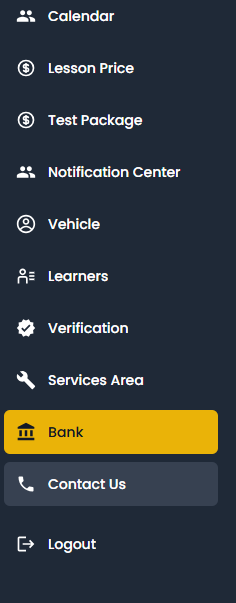
Add Your Bank Account Details
Enter your Bank Name, Account Name, BSB/Sort Code, and Account Number.
Double-check all details to ensure accuracy — incorrect information may delay your payments.
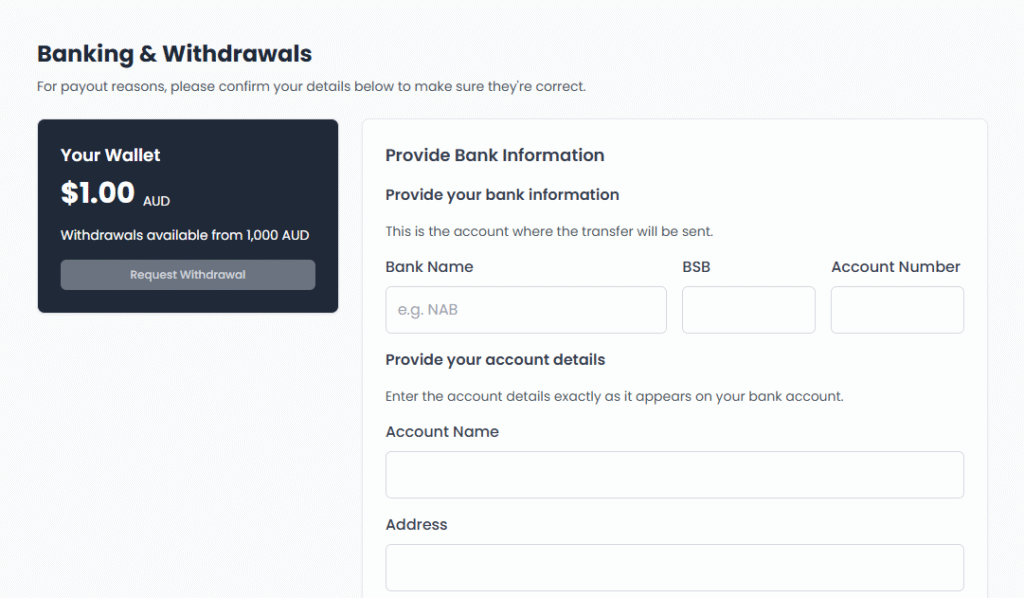
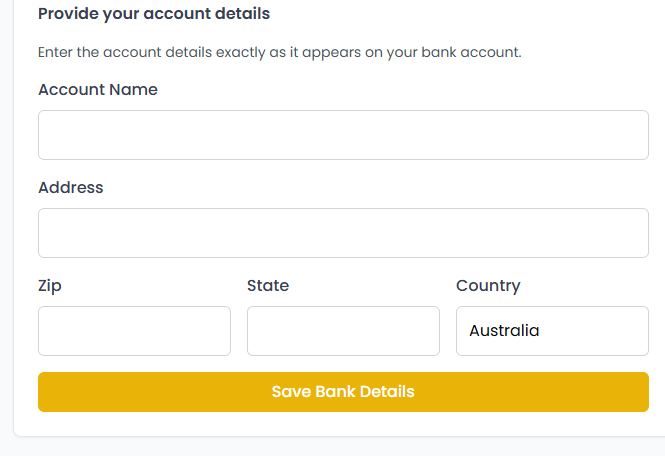
Once all fields are filled, click Save Changes.
Your bank account will now be linked to your Licence Help profile.
After completing lessons, your balance will appear in your Earnings or Wallet section.
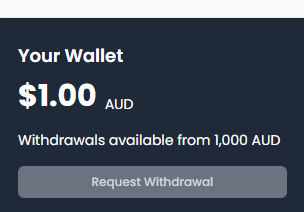
Click Withdraw Funds to transfer money to your registered bank account.
Withdrawals may take 1–3 business days to appear, depending on your bank.
Important Notes:
- Ensure your banking details are always current to avoid payout delays.
- You can update your details at any time, but changes made during a pending withdrawal may affect processing time.
- For additional help with withdrawals, you can contact Licence Help Support through the Help or Support Request option on the website.