
This will be useful if:
You are a Learner User of the Licence Help booking platform.
You are trying to:
Log in to your learner account, but it isn’t working.
Overview:
Having trouble accessing your account? Maybe you forgot your password.
Don’t worry — it happens! You can reset your password in just a few simple steps.
How to reset the password on your learner account
Step 1.
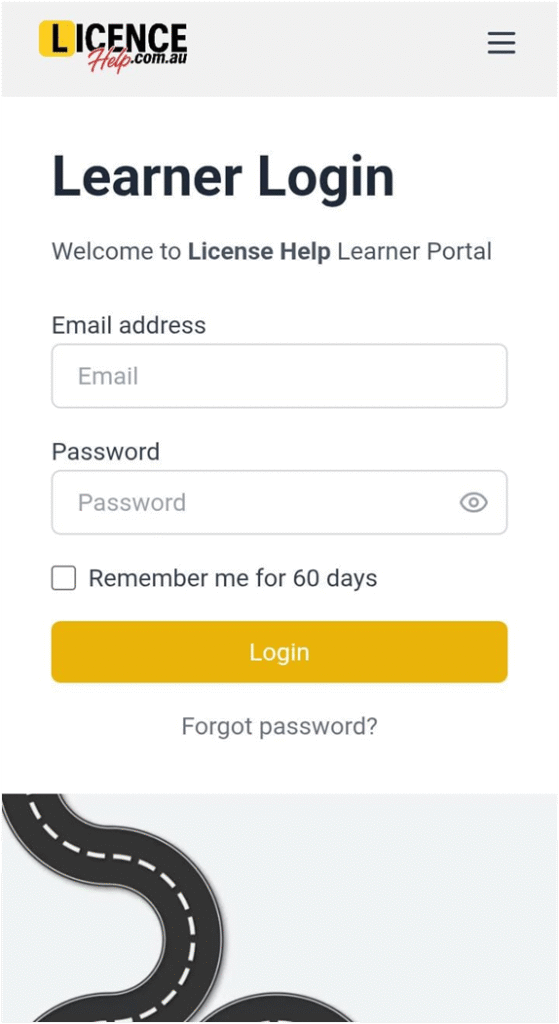
On the Learner Login page, click the “Forgot password?” link.
Step 2.
Enter the email address linked to your account.
Step 3.
Click the Reset Password button.
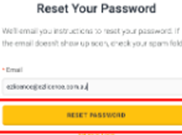
An email will be sent to the provided address with instructions to reset your password.
Step 4. (Optional)
If the email address you entered is not recognised in our system, you will receive an error message. This may mean you either mistyped your email or used a different one when creating your account.
Kindly submit a support request if you need further help.