
This will be useful if:
- You are a driving instructor and want to join the Licence Help platform.
You are trying to:
- Register as an instructor and start receiving bookings through Licence Help.
Overview
Licence Help connects independent, accredited driving instructors with learners across Australia. The sign-up process asks for your personal and instructor credentials, vehicle details, service area and payment setup so learners can find and book you. Below is a practical step-by-step guide to get you live on the platform.
How to join Licence Help as an instructor
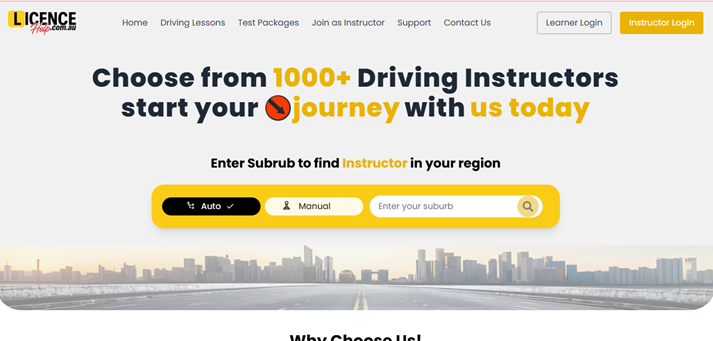
Step 1 — Go to the Licence Help website
From any page, open the Menu (top right) and choose Become an Instructor (or Instructor Sign Up).
Step 2 — Create your instructor account
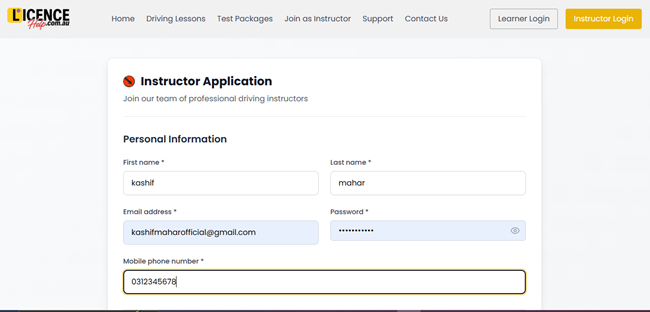
Enter your name, contact email, mobile number and create a password. Use a business email if you have one (recommended).
Step 3 — Complete your instructor application form
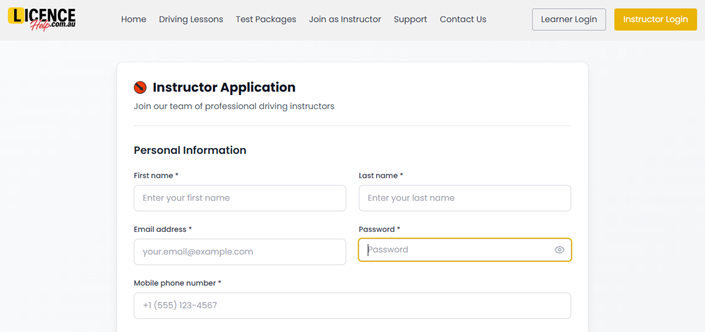
Provide:
- Full name and contact details
- Driver’s licence number and expiry date
- Instructor accreditation/certification details (upload certificate)
- ABN or business details (if you operate as a business)
- Service suburbs/areas you cover and whether you offer pick-up/drop-off
Step 4 — Upload required documents
Attach digital copies of required documents such as:
- Instructor accreditation certificate
- Current driver’s licence (photo ID)
- Vehicle registration and proof of insurance (public liability where applicable)
- Any state-required background checks (police check or working-with-children check) — upload if requested
(Upload clear, legible scans/photos.)
- Step 5 — Set your vehicle & lesson details
Enter your vehicle information such as make, model, year, and transmission type (automatic or manual). You can also specify the lesson durations you offer (for example, 1 hour or 1.5 hours) and any special services like test preparation or logbook lessons.
- Once you complete Step 5, you will be directed to your Instructor Dashboard.
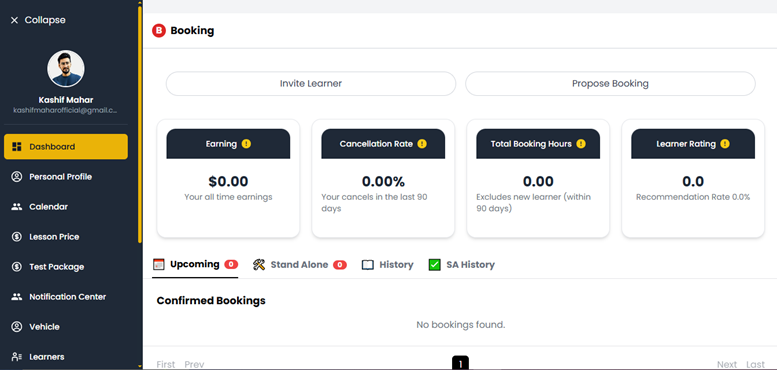
Here, you’ll be able to view and manage all your bookings, check your lesson schedule, track your earnings, and update your availability anytime.